Testing Your Code: JUnit and Mockito
No matter how good you are, your code will break someday. Testing isn't just about catching mistakes — it’s about building confidence in your code. In this chapter, we’ll show you how to test your Java programs using two industry-standard tools: JUnit for unit testing and Mockito for mocking dependencies.
Why Testing Matters
Imagine fixing a bug only to break something else you didn’t even touch. That’s why tests are your safety net:
- x>They prove that your code works as expected
- x>They let you refactor without fear
- x>They help new developers understand how your code behaves
Good tests make you faster, not slower.
What is JUnit?
JUnit is the most popular unit testing framework for Java. It allows you to write small, isolated tests for your classes and methods.
Example: Testing a Calculator
Let’s say you have a simple calculator class that adds two numbers. You want to ensure it works correctly. Here’s how you can write a test using JUnit:
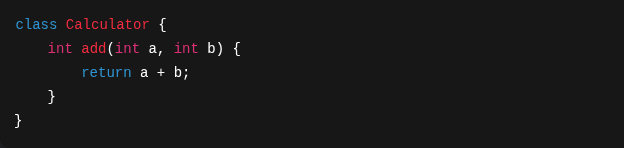
This is your calculator class. Now, let’s write a test for it:
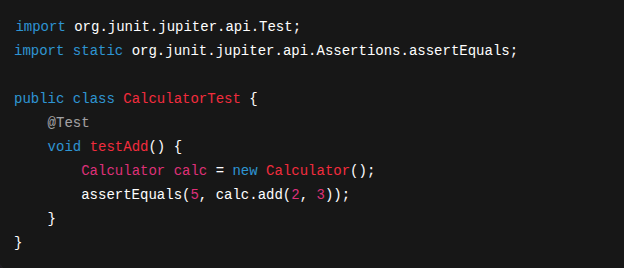
This test checks that 2 + 3 = 5. If it doesn’t, the test fails. Simple and powerful.
What is Mockito?
Sometimes your class depends on another class — maybe it talks to a database, or fetches data from the web. But you don’t want to test those parts right now. That’s where Mockito comes in: it creates fake versions of your dependencies so you can test your code in isolation.
Example: Mocking a Service
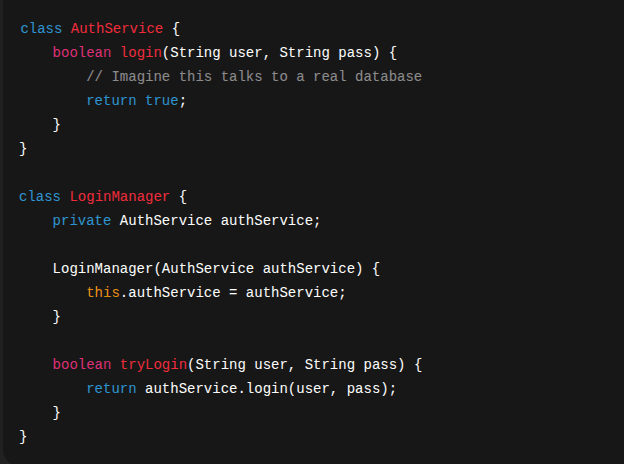
This is a service that fetches user data. You want to test your class without actually calling the service. Here’s how you can do it with Mockito:
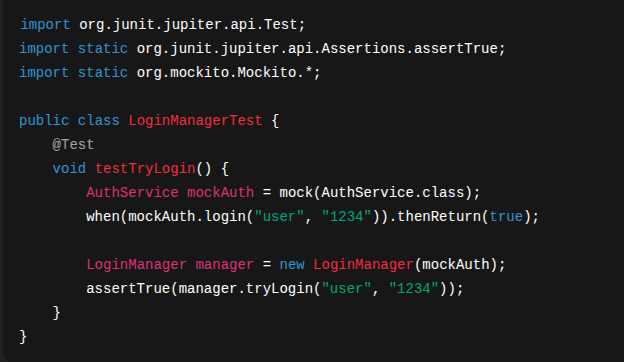
You test LoginManager without needing a real AuthService at all!
Arrange, Act, Assert
Most tests follow this simple structure:
- x>Arrange: Set up your test (create objects, mock behavior)
- x>Act: Run the method you want to test
- x>Assert: Check the result
It keeps your tests clean and readable.
Exercise: Test a Service with Mockito
Goal: Write tests for a BookService that uses a BookRepository. You have these classes:
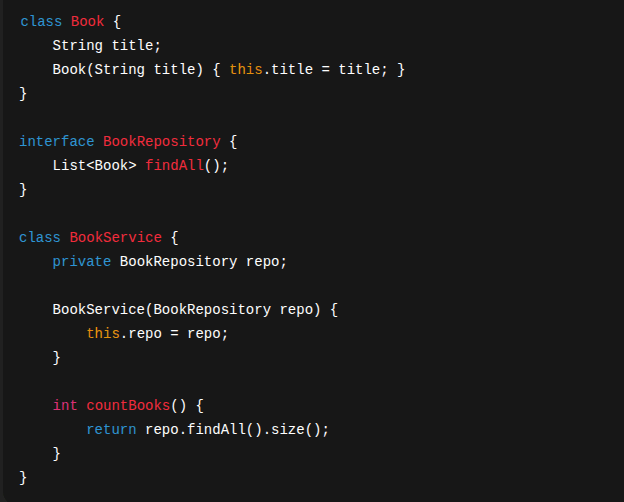
Your Tasks:
Mock BookRepository using MockitoReturn a list of 3 books from findAll()Test that countBooks() returns 3What’s Next
Once you know how to test the logic of your app, it’s time to tackle one of the biggest parts of real-world development: working with databases. Up next: using Java to store, retrieve, and manage data using JDBC and JPA. Let’s build data-powered applications next.