Controlling Your Code: Ifs, Else, and Decisions
So far, your Java programs have followed a single path: start at the top, go line by line, and stop at the end. That’s useful — but not smart. Now it's time to add logic — the ability for your programs to make decisions.
What You’ll Learn
- x>How to use if, else if, and else
- x>How to compare values
- x>How to use boolean expressions and logical operators
- x>How to write basic multi-path programs
Why Decisions Matter
Programs need to respond to different situations. If a user is logged in — show the dashboard. If they enter the wrong password — show an error. Let’s start with a basic structure:
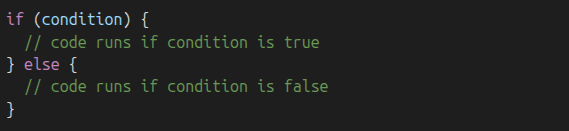
The if, else if, else Flow
An if statement lets the program ask a true/false question. If the answer is true, it runs a block of code. If it's false, it skips that block and checks the next one in the chain. Here's how it works:
- x>The program checks the if condition.
- x>If it's true, it runs the code inside and skips the rest.
- x>If it's false, it checks the next else if, if there is one.
- x>If none of the conditions match, the else block runs.
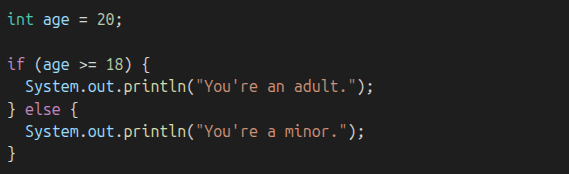
This structure helps your program take one of several possible paths, depending on the input or data. Example:
You can add more branches using else if:
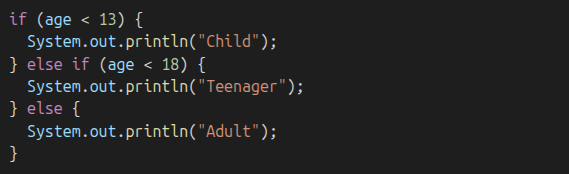
Note: only one block in this chain runs — the first one that evaluates to true.
What if you use multiple ifs?
If you write multiple separate if statements instead of using else if, more than one can run:
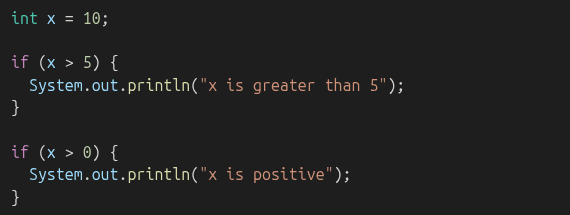
Output:

Now compare that to an if–else if structure:
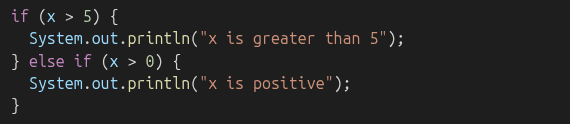
Output:

The second condition (x > 0) was also true — but it was ignored, because the first match already ran.
Comparison Operators
These are used to check conditions:
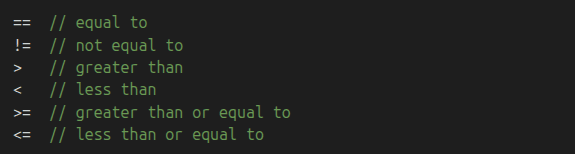
Use them inside your if statements to compare values.
Logical Operators
You can combine multiple conditions using logic:

Example:

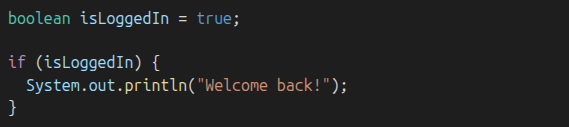
Booleans in Action
If a boolean variable already holds true/false, just use it:
Quick Quiz Example
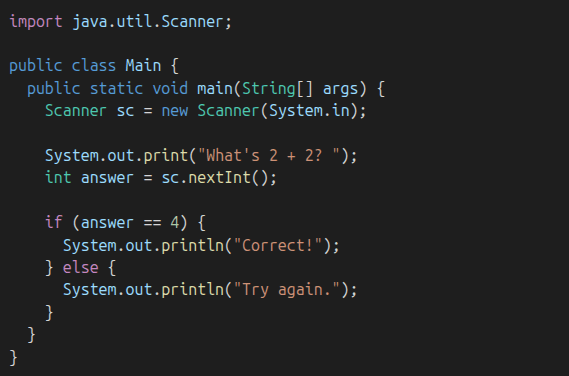
This program checks the user's answer and gives feedback based on their input.
Common Mistakes
Using = instead of == (assignment vs. comparison)

Use == to compare values:

Forgetting braces {} (especially for multi-line blocks):

This runs no matter what! Use braces to group statements properly:

Unreachable else if conditions (e.g., if (x > 10) followed by else if (x > 5)):
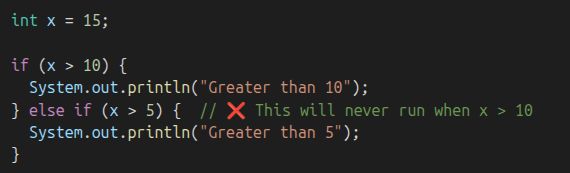
Reorder to make sense:
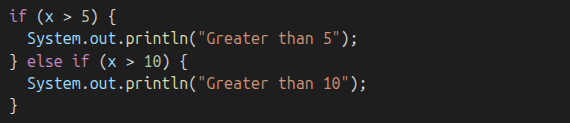
Now conditions are logically correct
Optional: switch Statement
Sometimes, when you're checking a single variable against many fixed values (like menu options or categories), using a switch statement can make your code cleaner than using a long if–else if chain.
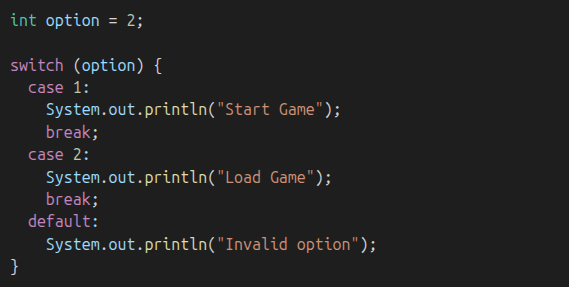
- x>switch checks the value of option
- x>Each case is like an if branch
- x>break ends the case — if you forget it, the next one runs too
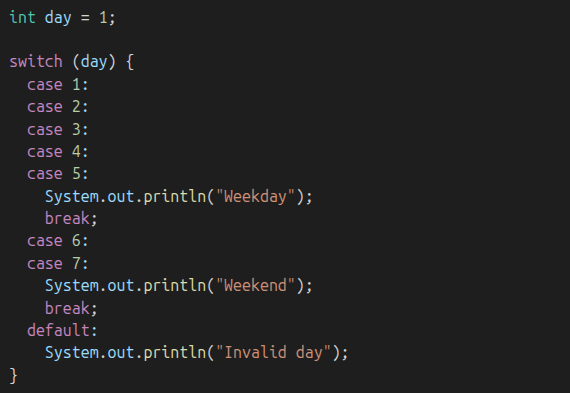
switch works best with int, char, String, or enum values.
Practice Time!
Now it's your turn! Try these exercises to practice what you've learned:
Ask the user for a number. Tell them if it’s even or odd.Ask for a score and print a letter grade.Ask for username and password, check if they match hardcoded values.What’s Next
Next, we’ll take things a step further and learn how to make your code repeat actions using loops. Get ready to while, for, and do it again!